Running an online store means doing the same jobs over and over: writing product pages, answering “where is my order?”, sending the same emails to new customers and keeping stock in sync. AI tools now cover most of these jobs. The trick is knowing which ones are worth it for your store’s size, and where a mistake would cost you a customer.
Map your store’s work first
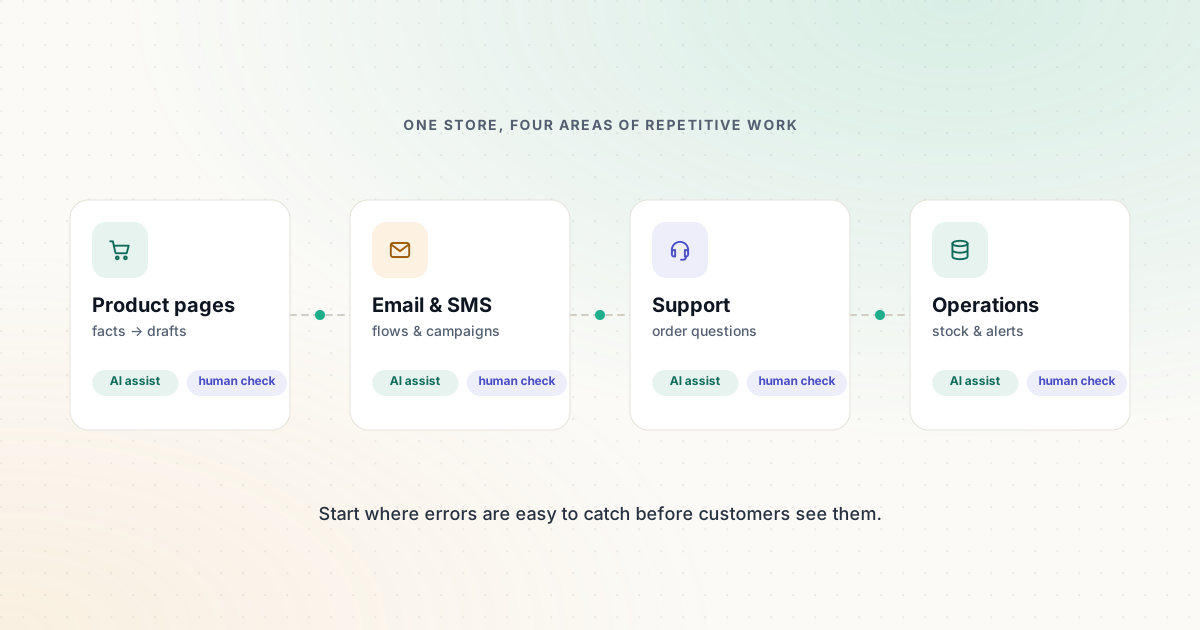
Group your weekly work into four areas and note which one takes the most time:
- Catalog and content — product descriptions, collections, images, blog posts.
- Marketing — email and SMS flows, promotions, social posts.
- Customer support — order status, returns, product questions.
- Operations — inventory alerts, order exceptions, reporting.
Start with the area that eats the most hours and where errors are easy to catch before customers see them. For most stores, that’s product content.
Product content: faster drafts, same facts
AI is good at turning a list of product attributes into a readable description. It is bad at knowing facts it wasn’t given, and it will happily invent a material, a dimension or a care instruction.
A reliable process:
- Collect the facts in one place: materials, dimensions, compatibility, care, what’s in the box, who it’s for.
- Ask the AI to write only from those facts, in your brand’s tone, with a fixed structure (opening line, benefits, specifications).
- Check every factual statement against your source data before publishing.
- Write a unique meta description for the page; our free Meta Description Generator gives you a starting point.
If you sell on Shopify, start with Shopify Sidekick. Shopify says it’s included with Shopify plans at no extra charge, it works with your store’s own data, and it presents changes for your review before applying them. It can draft product descriptions, blog posts and email campaigns, and its photo editor aims to turn phone photos into cleaner product shots.
Our ecommerce template pack includes a product description prompt that enforces the “facts only” rule.
Product images
AI image tools can remove backgrounds, extend a scene or create lifestyle settings. Two rules matter more than the tool you choose:
- The product must look like the product. Never change color, shape, size or included items. Customers return items that don’t match the photos.
- Know the usage terms. Adobe Firefly states that its own models are trained on licensed and public-domain content and that their outputs are safe for commercial use, while noting that you are responsible for outputs from partner models. Other tools have different terms; check before publishing.
For quick edits such as background removal and resizing for different channels, Canva is often enough.
Email and SMS marketing
Automated flows — welcome series, abandoned cart, post-purchase and win-back — usually work around the clock with little maintenance once set up. Klaviyo is built for this: it combines purchase data with email and SMS, and its AI feature, Composer, can audit and create flows and campaigns from a prompt. Klaviyo invites stores to start free with email and SMS; check its pricing page for current limits.
Guardrails for automated messages:
- Send only to people who opted in, and honor unsubscribes immediately.
- Review every automated message before switching a flow on, including discount codes and expiry dates.
- Track clicks with consistent UTM parameters so you can see which messages drive sales. Our UTM Builder keeps values lowercase and correctly encoded.
Need subject line ideas? The Email Subject Line Builder generates options from your purpose, audience and tone.
Customer support
Order-status questions are the classic first win: they’re repetitive, and the answer lives in your order data. Three common options, each with a different billing model:
| Tool | Best fit | How the AI is billed (per official pages) |
|---|---|---|
| Tidio | Smaller stores on Shopify, WordPress and similar | Lyro AI conversations sold separately or bundled; Premium adds pay-per-resolution |
| Gorgias | Stores with steady order-related volume | AI Agent included on every plan, billed per resolution |
| Fin by Intercom | Teams that want an AI agent on an existing help desk | Billed per Fin outcome |
Whichever you choose, decide what the AI may do on its own. Looking up an order is low-risk. Issuing refunds or changing addresses should require rules, limits and often a human check. Our support automation guide covers this step by step, and the AI support platform comparison puts the official details side by side.
Operations
Automation platforms such as Zapier and Make connect your store to the rest of your tools:
- Post a message to your team when stock for a best-seller drops below a threshold.
- Flag orders with unusual notes (“gift”, “urgent”, “wrong address”) for a person to review.
- Add every new wholesale enquiry to your CRM with a short AI summary.
The ecommerce operations workflow shows the full setup, including where to put a human check.
A sensible adoption order
- Product content with review — low risk, immediate time savings.
- Core email flows — welcome and abandoned cart first.
- AI answers for order status and FAQs, with a clear hand-off to a person.
- Operational alerts that reduce mistakes rather than add actions.
- More autonomy only after a few weeks of reviewing results.
What to measure
Don’t rely on vendors’ headline numbers. Measure your own baseline before you start and compare after four to six weeks:
- Hours spent writing and updating product pages
- First response time and the share of conversations resolved without a person (as reported in your help desk)
- Revenue attributed to automated flows in your email platform
- Errors caught in review — a rising number means the AI needs better input, not less checking
Sources and further reading
We link to official documentation and primary sources. Product details change — check the source before relying on a specific limit or price.
- Shopify Sidekick shopify.com
- Sidekick (Shopify Help Center) help.shopify.com
- Klaviyo pricing and features klaviyo.com
- Gorgias pricing gorgias.com
- Tidio pricing tidio.com
- Adobe Firefly plans adobe.com