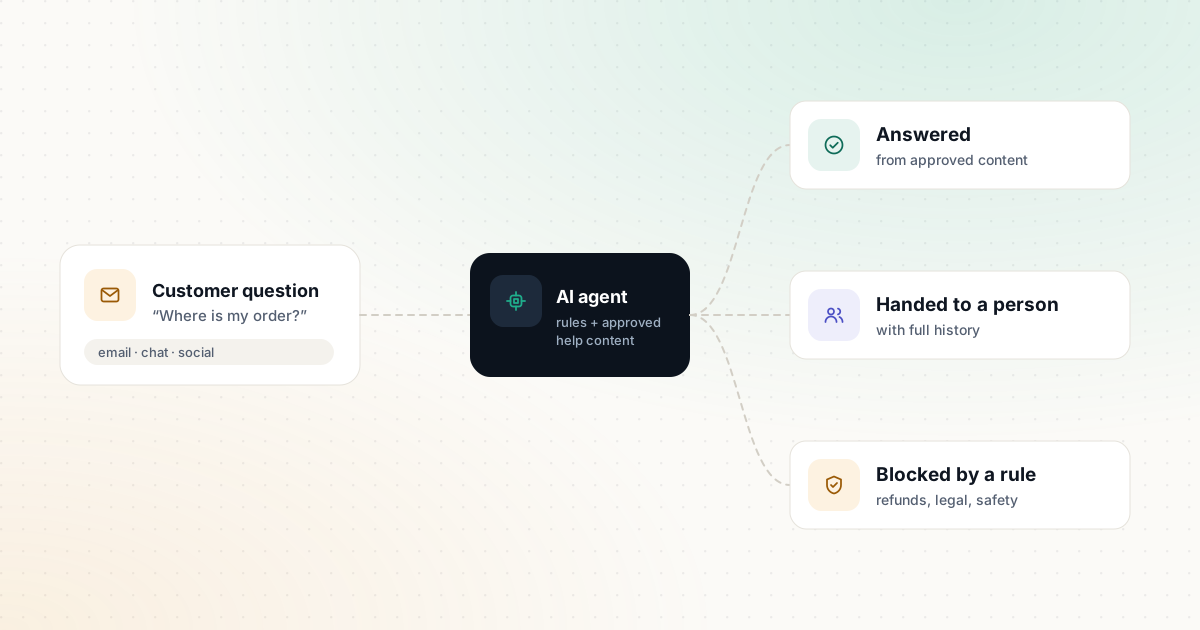
AI agents can now answer a large share of routine support questions instantly, in many languages, at any hour. They can also confidently give a wrong refund policy to an angry customer at 2 a.m. The difference between those outcomes is rarely the tool you choose. It’s the preparation: clean help content, clear rules, honest testing and a fast route to a human.
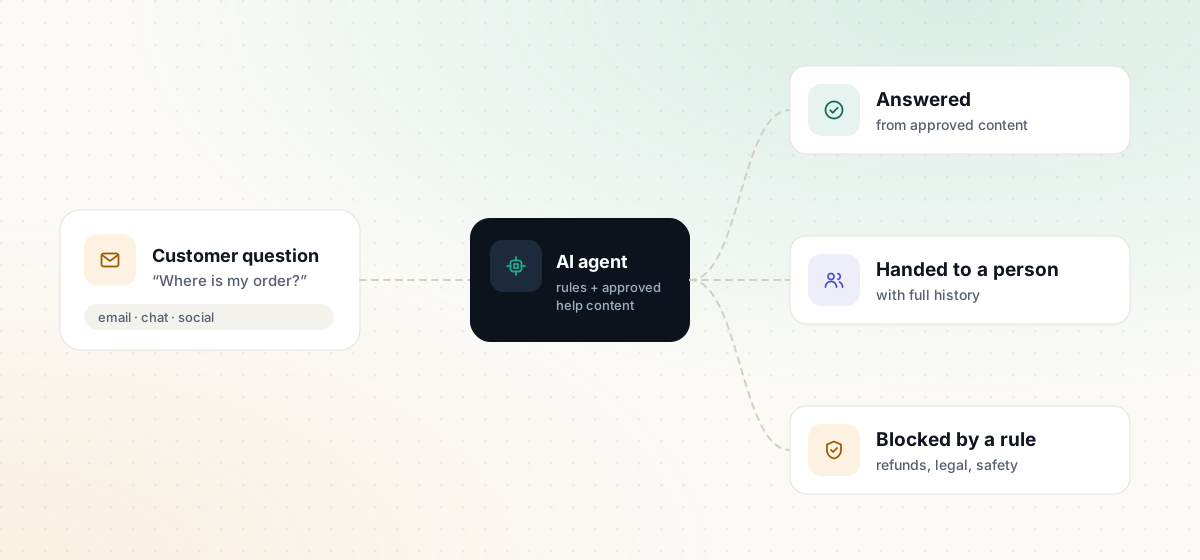
What an AI support agent actually does
Modern support AI does three things:
- Answers questions using the sources you provide — help center articles, policies, product information.
- Takes actions through integrations — looking up an order, updating an account, starting a return. Intercom, for example, describes “Procedures” that let its Fin agent handle multi-step tasks such as refunds or troubleshooting.
- Hands over to a person when it can’t help, ideally with the conversation history attached.
Each step adds value and adds risk. You control the risk with the steps below.
Step 1: Audit your recent tickets
Export a sample of recent conversations — a few hundred is plenty for a small team — and tag each one by topic. Typical categories: order status, returns, billing, product questions, technical issues, complaints.
You’re looking for questions that are frequent, have a single correct answer and don’t need judgment. Those are your first candidates for automation. Complaints, legal threats and anything involving a customer’s safety are not.
Step 2: Fix your help content first
An AI agent answers from your content, so gaps and contradictions in that content become wrong answers. Before launch:
- Write or update an article for each frequent question from your audit.
- Remove outdated policies and duplicate pages that disagree with each other.
- State specifics: time frames, conditions, exceptions.
- Use the same terms your customers use.
If those articles also appear on your website as an FAQ, our FAQ Schema Generator can produce matching structured data.
Step 3: Write the rules
Decide, in writing, what the AI may do. A simple three-column table works well:
| The AI may | Only with conditions | The AI must never |
|---|---|---|
| Answer from approved help articles | Look up order status after verifying the customer | Promise refunds outside policy |
| Share tracking links | Start a return within the return window | Give legal, medical or financial advice |
| Collect details for a ticket | Offer a standard discount from a fixed list | Discuss other customers’ data |
| Hand over to a person at any time | Change a delivery address before dispatch | Argue with an upset customer |
Also define escalation triggers: words such as “lawyer,” “chargeback” or “unsafe,” repeated negative sentiment, VIP customers and any request the AI has tried and failed to resolve.
Our customer support templates include a rules prompt and escalation note you can adapt.
Step 4: Choose a tool and a billing model
The main options differ in where they fit and how you pay for the AI:
- Fin by Intercom is billed per outcome and, according to Intercom, runs on other help desks such as Zendesk, Salesforce, Freshdesk and HubSpot.
- Zendesk AI adds AI agents, an agent Copilot (an add-on) and quality assurance to the Zendesk platform.
- Tidio suits smaller businesses, with a free plan and its Lyro AI agent sold separately or bundled.
- Gorgias is built for ecommerce and bills its AI Agent per resolution.
Per-resolution and per-outcome pricing ties cost to results, but it also means costs rise with volume. Model your expected monthly conversations before you commit. Our comparison of AI support platforms sets out the official details side by side.
Step 5: Test on real questions
Before customers see anything, run the AI against past questions from your audit and score every answer:
- Correct and complete — ready to send.
- Correct but incomplete — usually a content gap.
- Wrong — find out why: missing article, conflicting sources or a rule that wasn’t followed.
- Should have escalated — tighten your triggers.
Some platforms include testing tools; Intercom, for example, lists simulation and regression testing for Fin. Whatever you use, keep your test set and re-run it after every significant change.
Step 6: Launch in stages
Don’t switch on every channel at once. A sensible sequence:
- Internal only — your team chats with the agent for a week.
- One channel (for example, website chat) for a limited set of topics.
- More topics, then more channels, as accuracy holds up.
Tell customers they’re talking to an AI agent and make “talk to a person” easy to find. Hiding the human option creates more frustrated customers than it saves.
Step 7: Review every week
Read a sample of AI conversations every week, especially escalations and low ratings. Track:
- The share of conversations resolved without a person (as reported by your platform)
- Escalation reasons
- Customer satisfaction for AI-handled versus human-handled conversations
- Content gaps discovered, and the articles you added
Security risks to plan for
AI agents introduce risks that ordinary help desks don’t have. The OWASP Top 10 for LLM Applications (2025) is a good checklist. For support teams, three items stand out:
- Prompt injection — customers (or content the agent reads) trying to override its instructions. Keep actions behind strict rules and verification, not just prompt wording.
- Sensitive information disclosure — make sure the agent can only access the data a support conversation needs.
- Excessive agency — give the agent the smallest set of actions it needs, with limits on amounts and frequency.
Start small, then expand
The fastest route to a successful support AI is a narrow launch on the questions you are sure about, an honest weekly review and steady improvements to your help content. Our support triage workflow shows how to run the same approach in an email inbox, even before you add a full AI agent.
Sources and further reading
We link to official documentation and primary sources. Product details change — check the source before relying on a specific limit or price.
- Fin AI agent (Intercom) fin.ai
- Zendesk AI zendesk.com
- Tidio pricing tidio.com
- Gorgias pricing gorgias.com
- OWASP Top 10 for LLM Applications 2025 genai.owasp.org