AI can write a social post in seconds, which is exactly why so much marketing now sounds the same. The teams getting real value use AI to remove the slow, mechanical parts of the job — research summaries, first drafts, resizing, tagging links — and spend the time they save on the parts that make marketing work: a clear point of view, real examples and good judgment.
Where AI fits in the marketing cycle
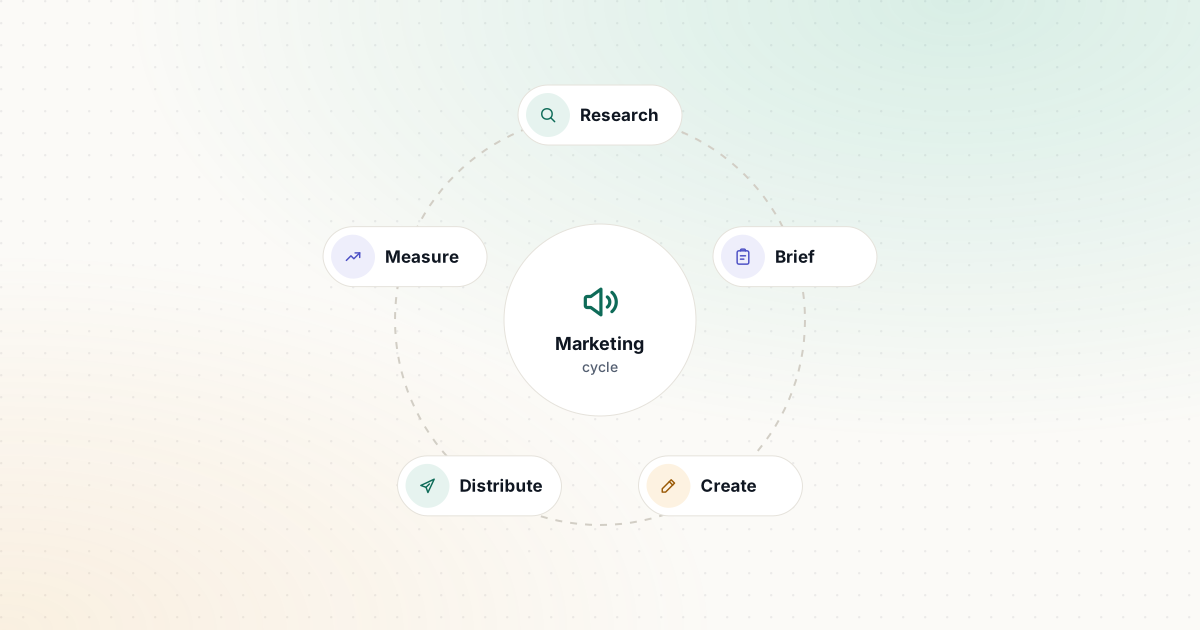
Think of marketing as a loop: research → brief → create → distribute → measure. AI helps at every stage, but differently.
Research
An answer engine such as Perplexity gives you a sourced overview of a topic, a competitor’s public positioning or a regulation you need to understand. The sources are the valuable part: open them and quote from the original, not from the summary.
General assistants can also help you organize what you already know: paste in anonymized customer interview notes and ask for recurring problems, words customers use and objections. Check that the themes are really in the notes.
Brief
A clear brief is the difference between generic AI output and something usable. It should state the audience, the one thing they should understand or do, the key points, the proof you have and the tone. Our free Content Brief Generator produces a structured brief you can hand to a writer — or paste into an AI assistant as context.
Create
You have three broad options:
- General assistants (ChatGPT, Claude, Gemini) — flexible and inexpensive, but you must supply the brand voice each time, or save it in a project, custom GPT or Gem.
- Marketing platforms — Jasper focuses on keeping teams on-brand with Brand Voice and marketing agents; Copy.ai builds repeatable go-to-market workflows; HubSpot adds AI agents that work with CRM data.
- Visual and video tools — Canva for templates and resizing, Adobe Firefly or Midjourney for imagery, and Descript for cutting webinars and podcasts into clips by editing a transcript.
A solo marketer can usually go a long way with a general assistant plus Canva. A team that produces content across many channels and writers is the audience for brand-voice platforms.
Distribute
Distribution is full of small, error-prone tasks that are easy to standardize:
- Campaign tracking. Google Analytics recommends always setting
utm_source,utm_mediumandutm_campaign, and notes that values are case sensitive — “Email” and “email” are reported separately. Agree on a lowercase naming convention and use a builder such as our UTM Builder to apply it consistently. - Email subject lines. Generate several options, then pick based on clarity rather than cleverness. Our Email Subject Line Builder is a quick, rules-based starting point.
- Repurposing. Turn one strong piece (a webinar, a guide) into posts, emails and short clips. See the marketing workflow for a step-by-step version.
Measure
AI assistants are useful for explaining an analytics export or drafting a monthly summary, but they can misread numbers. Give them the raw table, ask them to show their working, and spot-check any figure that will drive a decision.
SEO basics that AI won’t fix for you
If you publish content to be found in search, Google’s own documentation is the best guide:
- Titles should be descriptive and concise, unique for each page, and free of keyword stuffing. Google sets no fixed character limit, but long titles get truncated, so keep the important words first. Our Meta Title Generator shows character counts while you edit.
- Meta descriptions are used only sometimes; Google mostly builds snippets from page content. When they are used, unique, accurate summaries work better than keyword lists. Try the Meta Description Generator.
- robots.txt controls what search engines crawl, not what they index. Google says it “is not a mechanism for keeping a web page out of Google”: a blocked URL can still appear in results, without a description. To keep a page out of search, use
noindexor password protection instead. Our Robots.txt Generator builds a valid file with your sitemap. - Helpful content comes first. Google’s guidance asks whether content is original, written for people rather than search engines, and clear about who made it and how. It explicitly warns that using AI to mass-produce pages to manipulate rankings violates its spam policies.
Build a brand voice document once
Whatever tool you choose, a short brand voice document makes AI output sound like you:
- Three to five voice traits, each with “we are / we are not” (for example, “confident, not boastful”).
- Words we use and words we avoid, including product names and how to write them.
- Two or three examples of your best real copy.
- Rules — claims you never make, legal phrases you must include, reading level.
Paste it into a project or saved instructions so every draft starts from the same rules. Our marketing prompt pack includes a brand voice prompt you can adapt.
Review checklist for AI-assisted marketing
Before anything goes live, check:
- Every statistic, quote and claim traces back to a source you have opened.
- Offers, prices, dates and discount codes are correct.
- The copy says something specific about your product or audience.
- It sounds like your brand voice document, not like a generic AI draft.
- Images represent the product truthfully and you have the rights to use them.
- Links work and carry the right UTM parameters.
- Anything regulated (health, finance, legal claims) has been reviewed by someone qualified.
Where to start this week
Pick the most repetitive task in your marketing week. For many teams, that’s repurposing one piece of content into several channels. Set up a brief, a brand voice document and a review step, and measure how long the task takes before and after. If it saves real time without lowering quality, standardize it as a template and move on to the next task.
Sources and further reading
We link to official documentation and primary sources. Product details change — check the source before relying on a specific limit or price.
- Influencing title links in Google Search (Google Search Central) developers.google.com
- Control your snippets in search results (Google Search Central) developers.google.com
- Creating helpful, reliable, people-first content (Google Search Central) developers.google.com
- Introduction to robots.txt (Google Search Central) developers.google.com
- URL builders: Collect campaign data with custom URLs (Google Analytics Help) support.google.com
- Jasper pricing jasper.ai