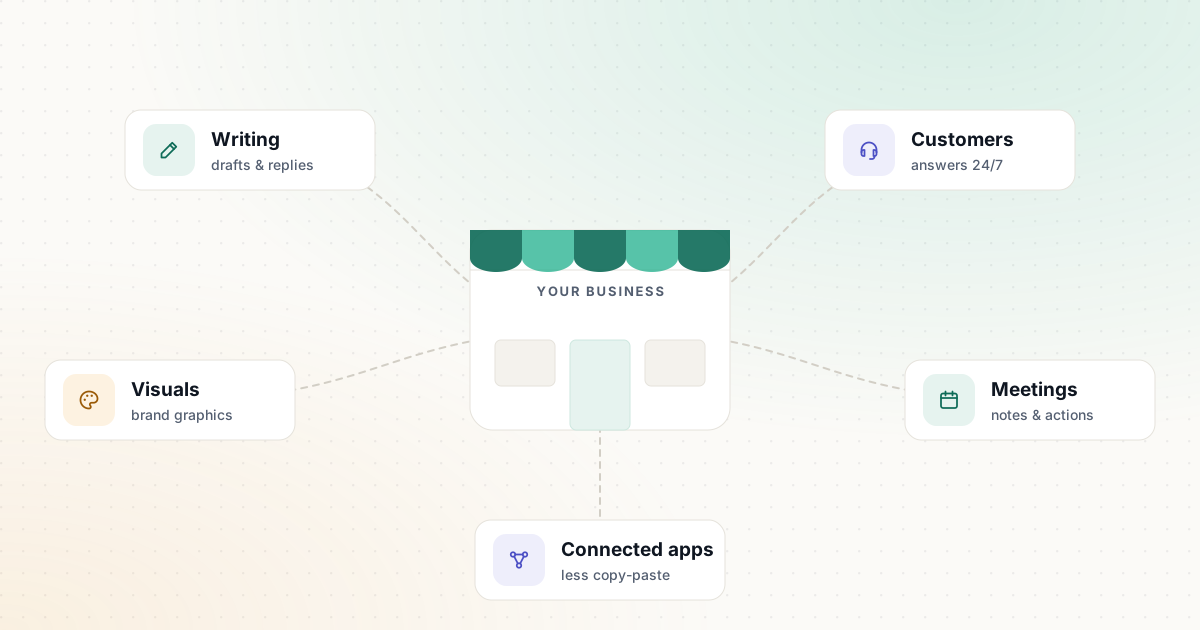
Most small businesses don’t need an “AI strategy.” They need two or three hours back each week and fewer things slipping through the cracks. This guide shows you where AI tools reliably help a small team, which ones to try first (most have free plans), what to leave alone for now, and how to roll them out without creating new risks.
Start with the work, not the tool
New AI products launch every week, and it’s easy to collect subscriptions that nobody uses. A better starting point is a quick audit of your own week.
For five working days, keep a simple list of tasks that are repetitive, text-heavy or copy-and-paste between apps. Typical entries look like this:
- Answering the same five customer questions by email
- Writing product or service descriptions
- Turning meeting notes into a follow-up email
- Making social posts for the same weekly offer
- Copying form submissions into a spreadsheet or CRM
At the end of the week, mark each task with roughly how long it takes and how often it happens. The tasks at the top of that list are your candidates. AI is good at drafting, summarizing, classifying and reformatting. It is not a substitute for judgment, accurate facts or a relationship with your customers.
| Task type | What AI does well | What stays with you |
|---|---|---|
| Writing and replies | First drafts, rewrites, tone changes | Facts, offers, final approval |
| Customer questions | Answers from your own help content | Exceptions, refunds, complaints |
| Visuals | Layouts, resizing, background removal | Brand decisions, accuracy of product images |
| Meetings and admin | Transcripts, summaries, action lists | Decisions and follow-through |
| Moving data between apps | Routing, tagging, extracting fields | Rules, exceptions, data quality |
Five areas where AI helps a small business most
1. Writing and everyday communication
A general AI assistant such as ChatGPT, Claude or Google Gemini is the most flexible tool you can add. Use it to turn bullet points into a clear email, rewrite a long reply so it’s friendlier, or produce three versions of a promotion so you can pick the best one. All three have free plans, so you can test them on the same task before paying for anything.
If most of your writing happens in email and documents, an editor such as Grammarly checks clarity and tone where you already type.
The quality of the output depends heavily on what you ask for. Our free AI Prompt Generator builds a structured prompt (context, audience, tone, format and constraints) that you can paste into whichever assistant you use.
2. Customer questions
If you answer the same questions repeatedly, an AI agent that works from your own help content can reply instantly, at any hour. For small shops and service businesses, Tidio offers a free plan with live chat and its Lyro AI agent. Larger support teams look at Fin by Intercom or Zendesk AI.
Before turning anything on, write down the questions the AI may answer and the situations where it must hand the conversation to a person. Our customer support workflow walks through this.
3. Marketing visuals
Canva lets non-designers produce social graphics, flyers and simple videos from templates. Its free plan includes a limited number of AI uses, and paid plans add tools such as background removal and one-click resizing. Set up your logo, colors and fonts once so everything you make looks consistent.
4. Meetings and admin
Meeting assistants such as Otter.ai transcribe calls on Zoom, Microsoft Teams and Google Meet and produce a summary. Otter’s free Basic plan includes 300 transcription minutes per month with a 30-minute limit per conversation, which is enough to test the habit. Always tell people when you are recording.
If your team keeps its notes and projects in Notion, Notion AI can summarize pages and answer questions across them, although the full AI features sit on Notion’s Business plan.
5. Connecting the apps you already use
Automation platforms move information between apps without copy-and-paste: a new web form entry creates a CRM contact and posts a message to your team. Zapier is the easiest place to start. Its free plan covers 100 tasks a month with two-step automations, which is enough for one or two simple workflows. Make offers more visual control and a free plan of 1,000 credits a month.
A free-first starter stack
You can test a useful setup without paying anything. Upgrade only when you hit a limit on a task that clearly saves you time.
| Need | Free option to start with | Upgrade when |
|---|---|---|
| Drafting and rewriting | Free plan of ChatGPT, Claude or Gemini | You hit usage limits on work you do every day |
| Visuals | Canva Free | You need brand kits, resizing or more AI uses |
| Meeting notes | Otter.ai Basic | Meetings regularly run longer than 30 minutes |
| App-to-app automation | Zapier Free | You need multi-step workflows or more tasks |
| Website chat | Tidio Free | Conversation volume exceeds the free allowance |
Plan details change frequently, so confirm the current limits on each tool’s page in our AI tools directory before you rely on them.
What to skip for now
- Tools that duplicate what you already pay for. Many platforms have added AI to existing plans. If you sell on Shopify, try Shopify Sidekick — included with Shopify plans — before buying a separate product-description tool.
- Products with vague data terms. If you can’t find out whether your data is used to train models, how long it’s kept, or how to delete it, wait.
- “AI-powered” add-ons with no clear task. If you can’t name the task it will save time on, you won’t measure whether it works.
- Fully autonomous anything, on day one. Start with AI drafting and a person approving. Remove the human step only where errors are cheap and easy to undo.
Ground rules before you roll anything out
- Decide what data may go into AI tools. As a rule of thumb, keep passwords, payment details, health information and anything covered by a confidentiality agreement out of consumer AI tools unless you have checked the provider’s terms and settings. For example, OpenAI lets individual users turn off “Improve the model for everyone” in ChatGPT’s Data controls, and states that content in its Business, Enterprise and Edu workspaces isn’t used for training by default.
- Check facts before they reach customers. AI tools can be confidently wrong. Prices, policies, legal statements and statistics need a human check against the original source.
- Be open about AI. Tell customers when they are chatting with an AI agent and tell meeting participants when a call is transcribed.
- Keep a simple register. List each tool, who owns it, what data it touches and when you’ll review it. NIST’s voluntary AI Risk Management Framework is a useful reference if you want a more formal approach.
A 30-day plan
- Week 1 — Pick two tasks. Choose from your audit and write down how long each takes today.
- Week 2 — Trial. Test two tools on the same real task. Use our evaluation checklist to compare them fairly.
- Week 3 — Standardize. Save the prompt or workflow that worked as a template your team can reuse. Our template library has starting points.
- Week 4 — Review. Compare time spent with your baseline, note any mistakes the AI made, and decide whether to keep, change or drop the tool.
Small, measured improvements add up faster than a big rollout that nobody adopts. Once the first two tasks are running smoothly, go back to your list and pick the next one.
Sources and further reading
We link to official documentation and primary sources. Product details change — check the source before relying on a specific limit or price.
- Data controls in ChatGPT (OpenAI Help Center) help.openai.com
- Zapier pricing zapier.com
- Canva pricing canva.com
- Otter.ai pricing otter.ai
- AI Risk Management Framework (NIST) nist.gov